

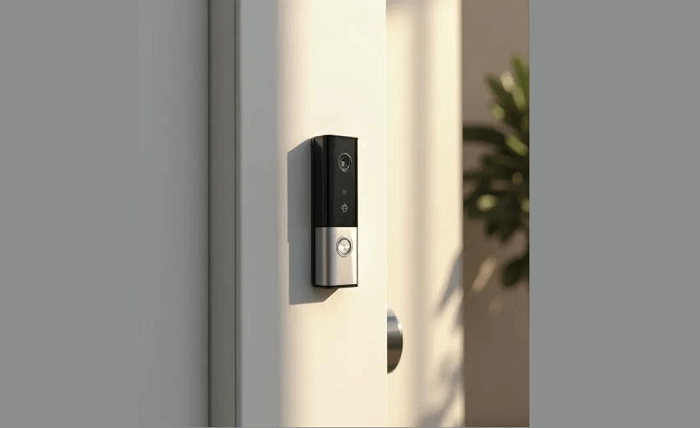
Wiring a doorbell may seem daunting, but with the right guidance, it’s a task that homeowners can tackle confidently. Whether you’re installing a new doorbell or upgrading an existing one, understanding the wiring process is crucial. This guide aims to simplify doorbell wiring, offering easy-to-follow steps, helpful diagrams, and practical advice. From selecting the right type of doorbell to troubleshooting common issues, this guide covers all aspects to ensure your project is a success. Embrace the opportunity to enhance your home without needing professional help. With a few tools and safety precautions, you’ll have your doorbell up and running in no time, providing both functionality and convenience. Read on to discover how to wire a doorbell effectively, ensuring it meets your home’s specific needs and integrates seamlessly into your living space.
Understanding Doorbell Wiring Basics
How a Doorbell System Works: Button, Chime, Transformer
A traditional doorbell system is composed of three primary components: the button, the chime, and the transformer. When a visitor presses the doorbell button, it closes an electrical circuit, sending a signal to the chime. The chime produces sound using magnetic principles — when the circuit is closed, an electromagnet pulls a piston or striker to hit a chime bar or bell, creating noise that signals visitors’ presence. The transformer, meanwhile, plays a critical role in converting your home’s standard voltage into a lower voltage suitable for the doorbell system. It ensures safety and compatibility with residential circuitry, typically reducing power from 120 volts to around 16 or 24 volts. Understanding this flow of electricity and the roles of each component will equip you to troubleshoot issues and successfully install or upgrade your doorbell system. Each part must function correctly, and their interconnectivity underpins the entire mechanism.
Types of Doorbells: Wired, Wireless, and Smart Options
Choosing the right type of doorbell involves considering your home’s structure and your personal preferences. Wired doorbells are the traditional choice, relying on a direct electrical connection and offering reliable performance with minimal maintenance. Wireless doorbells, however, represent an increasingly popular choice due to their ease of installation. They communicate via radio signals, so there is no need for complex wiring. Ideal for homes where running wires would be difficult, wireless systems also offer greater mobility and flexibility. Lastly, smart doorbells, the latest innovation, connect to your home’s Wi-Fi network, enabling added features like video capability, app integration, and audio communication. They provide an extra layer of security and convenience, allowing users to see and speak to visitors remotely. Each type has its pros and cons, so when selecting, consider factors like ease of installation, features, and compatibility with your home’s existing system.
Step-by-Step Guide to Wiring a Doorbell
Tools, Materials, and Safety Checks Before You Start
Preparation is key to a successful doorbell installation. Begin by gathering necessary tools like a screwdriver, wire stripper, drill, and voltage tester. You’ll also need materials such as electrical tape, doorbell wire, and the chosen doorbell kit, which usually comes with the button, chime, and transformer. Before starting, ensure you cut off the power to prevent any electrical shock. Use the voltage tester to confirm that the electricity is off where you’ll be working. Assessing your workspace helps identify any structural challenges or specific needs for your installation. It’s also wise to read through product instructions and familiarize yourself with the components. Precision and safety should guide your actions. Wearing rubber-soled shoes and using insulated tools add extra protection. By preparing adequately, you set the foundation for a smooth and efficient installation process.
How to Wire a Doorbell Chime, Button, and Transformer
Once you’re prepared, the first step is to connect the transformer. Locate a suitable spot near your main electrical panel and attach it securely. Then, run the wire from the transformer to the desired location of the doorbell chime, ensuring it is secure and unobtrusive. Connect the wire to the chime; this often involves attaching the wires to specific terminals marked for easy identification. Next, focus on wiring the doorbell button. Run the wire from the chime or transformer to the button location, which is typically near the main entrance. Secure the wires under the terminals as indicated by your doorbell model. Once all components are connected, restore power and test the system. When the doorbell is pressed, the chime should sound crisply. If adjustments are needed, consult the manufacturer’s instructions for specific troubleshooting tips. Properly securing and organizing wires will facilitate easy maintenance and ensure longevity.
Troubleshooting, Upgrades, and Pro Tips
Common Doorbell Wiring Problems and How to Fix Them
While a straightforward device, doorbells can encounter issues. One typical problem is no sound when the bell is pressed, often traced back to disconnected wires, a malfunctioning chime, or a faulty button. Regularly check and fix loose wires, ensuring they are correctly connected to their terminals. If the doorbell emits a weak sound or no sound, the transformer may need checking. A simple multimeter test can confirm if it’s outputting the correct voltage. In cases where the button is unresponsive, test it separately for continuity, replacing it if necessary. Corrosion or dirt can also obstruct proper connections, so regular cleaning aids performance. Lastly, to prevent future issues, consider securing connections with electrical tape for long-term reliability. A methodical approach can resolve most problems efficiently and restore your doorbell to optimal functionality.
Upgrading to a Smart Doorbell and Compatible Wiring
Upgrading to a smart doorbell can significantly enhance security and convenience. Begin by confirming Wi-Fi strength at your doorbell’s location for seamless connectivity. Smart doorbells usually work with existing wiring, yet there may be a need to upgrade the transformer. Check if your system supports the power demands of the smart device, typically needing 16-24 volts. Replace your existing doorbell button and chime with the smart unit per the manufacturer’s guidelines, securing connections. Integrating the smart doorbell with your smartphone app unlocks features like real-time alerts and video feeds. If current wiring is insufficient, a professional electrician can assist with complex configurations. Embrace these advanced features to enhance home security and simplify visitor management. Upgrading transforms a basic doorbell into a sophisticated smart home device.
Conclusion
Successfully wiring a doorbell is an achievable DIY project with proper preparation and knowledge. By understanding the components and types of doorbells, you can make informed choices best suited to your home’s requirements. This guide equips you to handle installations, troubleshoot common issues, and even upgrade to modern smart doorbell systems seamlessly. With the right tools and safety measures, you ensure efficient installation that blends function and style at your home’s entrance. Whether pursuing practicality with a wired system or embracing innovation with smart technology, this comprehensive guide empowers you to take control of your doorbell needs confidently. Enjoy the satisfaction of completing a project that enhances both convenience and home security. Taking the time to learn this skill ensures long-lasting functionality and peace of mind.